GOOGLE MERCHANT CENTER (GMC) SETUP
Get your products eligible for Google
Shopping results.
Google Shopping placements pull directly from Merchant Center. Setup connects your store and product feed, then schedules updates so pricing and availability stay in sync. Feed quality affects visibility, click-through, and ad performance. product listings.
No commitment. Tell us what’s not ranking and we’ll fix it properly.
✓ Account + store setup ✓ Feed connection + scheduling
✓ Optional monthly monitoring
WHY GOOGLE MERCHANT CENTER
Shopping placements rely on Merchant Center data.
Product listings show prices, merchants, and availability directly in search. Merchant Center supplies that data. Missing connections or weak feed data limits eligibility and can reduce coverage across Shopping ads and free product listings.
Eligibility
Account and feed configuration determine where products can appear across Google surfaces.
Images & URLs
Broken images or landing pages can block items from showing.
Product data
Titles, identifiers, categories, and pricing influence matching to queries and listing quality.
Campaign readiness
Performance Max and Shopping campaigns depend on Merchant Center feeds.
Sync
Scheduled feed updates keep pricing and stock aligned with the website.
Scale
Clean setup makes catalog expansion and seasonal changes easier to manage.
WHAT WE DO
Setup for stores connecting to Google Merchant Center.
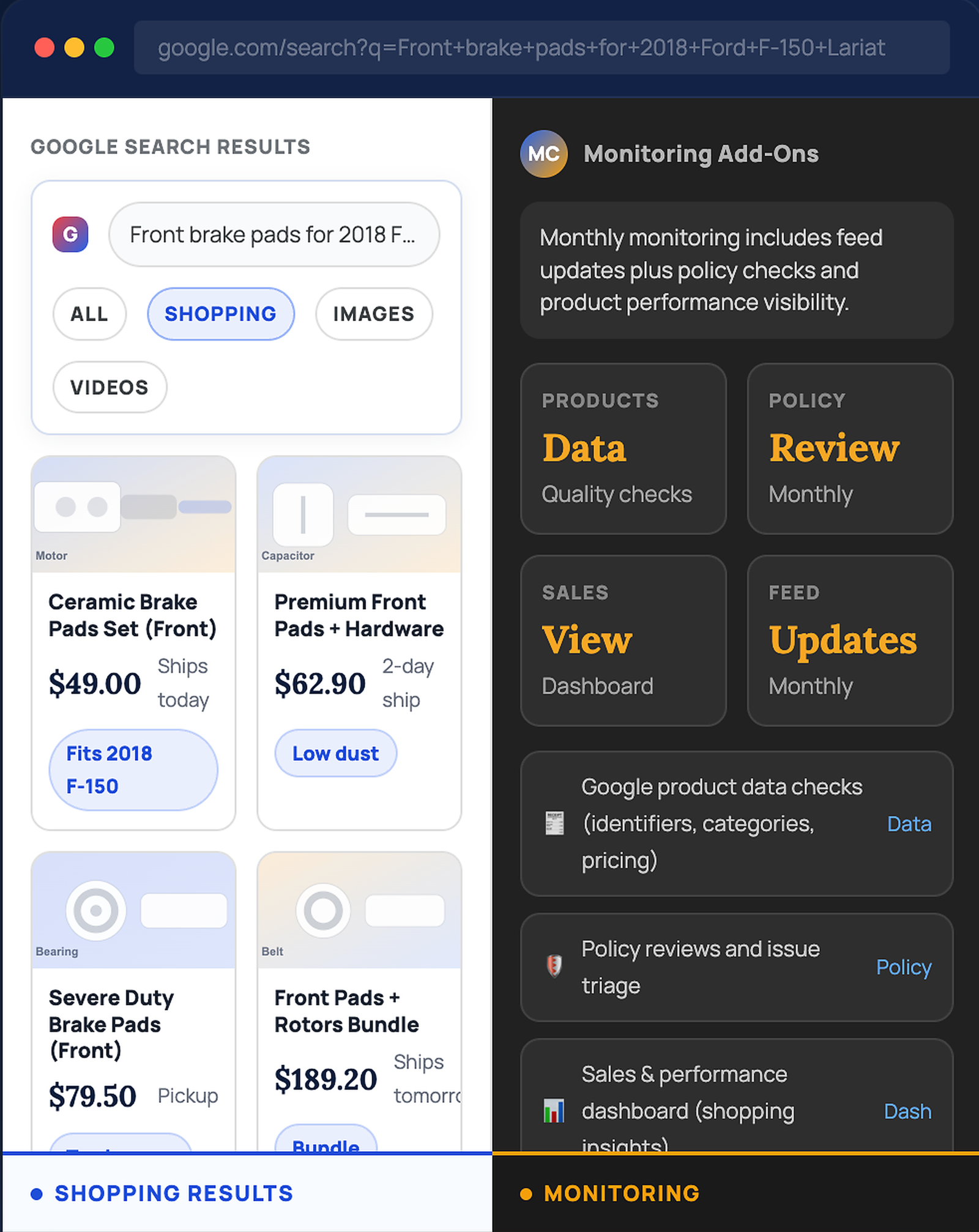
Setup creates and configures Merchant Center, connects your store and product feed, and schedules updates. Monthly monitoring stays optional for feed updates, Google product data checks, policy reviews, and a performance dashboard.
One‑Time Setup
Account + feed foundation for Google Shopping.
- Create/configure Google Merchant Center
- Connect store and verify as required
- Connect product feed source (URL/file/app)
- Configure update schedule
- Confirm feed processing and catalog visibility inside Merchant Center
Monthly Monitoring
Ongoing checks and updates for changing catalogs.
- Feed updates and mapping adjustments
- Google product data checks (IDs, categories, pricing)
- Policy reviews and issue triage
- Sales/performance dashboard
- Monthly summary with actions taken
Outcome: product feed connected to Google Merchant Center, listings eligible for Shopping placements, and monitoring options to keep data, policies, and performance visible.
INCLUDE IN SETUP
Work required to connect your catalog to Google Shopping.
Setup focuses on account configuration, feed connection, and scheduling. Missing product data (GTIN/MPN, categories, images) gets flagged with a clear list of fields to add in your store.
Account configuration
Create/configure Google Merchant Center and store settings required for listings.
Images & URL review
Confirm product links and images resolve so items can display in Shopping placements.
Feed connection
Connect feed source and set scheduling so updates run automatically.
Shipping/tax settings
Configure store rules so listing data remains consistent.
Feed requirements check
Validate key attributes used for processing (titles, prices, availability, identifiers).
Setup notes
Summary of feed source, scheduling, and next actions if product data updates are needed.
Monthly Monitoring: Value‑Added Support
Monitoring is for stores that want ongoing feed updates plus data checks, policy reviews, and clear performance visibility.
INCLUDE WITH MONTHLY
✓ Google product data checks (identifiers, categories, pricing)
✓ Feed updates + mapping adjustments
✓ Policy reviews and issue triage (account/item level)
✓ Broken image/link monitoring
✓ Sales & Shopping performance dashboard
✓ Monthly summary with actions taken
PRICING
One-time setup, with optional monthly monitoring.
Setup connects your catalog to Google Merchant Center. Monthly monitoring stays optional for feed updates, data checks, policy reviews, and a dashboard.
GOOGLE MERCHANT CENTER (GMC)
Pricing
Setup starts the connection. Monthly monitoring keeps feed updates handled and performance visible..
One‑Time Setup
Account setup, store connection, feed connection, and scheduling.
- Merchant Center setup + store connection
- Feed source connected + scheduled
- Shipping/tax settings configured
- Feed requirements check
- Setup notes + next actions
Monthly Monitoring & Feed Updates
Ongoing checks and updates so the feed stays current.
- Monthly feed review
- Feed updates and mapping adjustments
- Broken image/link monitoring
- Monthly summary of actions
✓ Setup ✓ Optional monthly support ✓ Clear scope
Note: Product data changes inside your store may be required (for example, GTIN/MPN). Missing fields get listed clearly so your team knows what to update.
FAQ
Questions teams ask before connecting to Google Merchant Center.
Short answers, so you know what’s needed and what you get.
Does Merchant Center matter without Shopping campaigns?
Yes. Merchant Center connects your catalog to free listings and enables Shopping placements. Campaign work can happen later.
What does monthly monitoring add?
Feed updates, Google product data checks, policy reviews, a sales/performance dashboard, and a monthly summary of actions.
Setup guarantee approvals?
No. Policies and product data vary. Setup ensures account and feed connection so issues are visible and fixable.
Access required?
Google account access (or an invite), store URL, and feed source details (app/URL/file). Store platform feed tools work fine.
Missing GTIN/MPN in the catalog?
Missing identifiers get flagged with a list of fields and impacted items. Updates typically happen inside your store’s product data.
Support for Performance Max?
Yes. Merchant Center setup is required. Campaign strategy and build-out can be scoped separately.
Keep product listings healthy.
Merchant Center connects your catalog to Shopping placements and free listings. Setup gets the feed connected and scheduled; monthly monitoring adds data checks, policy reviews, and performance visibility.