Your eCommerce store generates sales, but Google Ads performance feels unpredictable. Some products deliver 400-600% ROAS while others barely break even. Budget flows to campaigns that consume spend quickly rather than campaigns that drive profitable revenue.
Google Ads for eCommerce changed dramatically in 2024-2025. Shopping campaigns evolved into Performance Max. Product feed optimization became more critical than keyword selection. Dynamic remarketing shifted from optional to mandatory for competitive stores.
eCommerce Google Ads Landscape in 2025
Google Ads for eCommerce operates differently than lead generation campaigns. You’re not optimizing for a single conversion action – you’re managing hundreds or thousands of products with vastly different margins, conversion rates, and customer lifetime values.
Critical differences for eCommerce:
Shopping campaigns and Performance Max access your product feed directly. Optimization starts with feed quality, not keyword research.
Transaction values vary wildly. A $15 impulse buy and a $1,500 furniture purchase require completely different strategies.
Cart abandonment rates typically hit 60-70%. Remarketing captures revenue that would otherwise disappear.
Customer acquisition cost only makes sense when analyzed against lifetime value, not just first purchase value.
Seasonal fluctuations impact eCommerce more dramatically than services. Q4 holiday performance often drives 40-60% of annual revenue.
Step 1: Conversion Tracking Foundation for eCommerce
Before launching campaigns, verify your eCommerce tracking captures complete transaction data. Incomplete tracking leads to optimization decisions based on partial information.
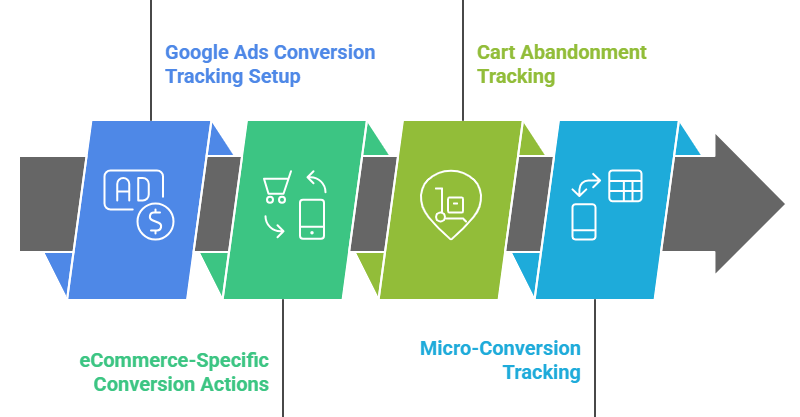
Google Ads Conversion Tracking Setup
Navigate to Tools & Settings → Conversions → New conversion action → Import → Google Analytics 4
Import these eCommerce events from GA4:
- Purchase (primary conversion)
- Add to cart (secondary conversion for remarketing)
- Begin checkout (secondary conversion for cart abandonment campaigns)
Critical setup requirements:
Transaction value must pass dynamically for every purchase. Static conversion values doom eCommerce optimization. The algorithm needs actual purchase amounts to optimize for revenue, not just conversion volume.
Verify in Google Ads: Conversions → Purchase conversion action → Check “Conversion value” column shows varying amounts, not a single static number.
Enhanced conversions for eCommerce:
Enhanced conversions improve attribution accuracy by 20-30% according to Google’s documentation. Implementation varies by platform:
- Shopify: Install Google & YouTube app, enable enhanced conversions in settings
- WooCommerce: Use Google Listings & Ads plugin with enhanced conversions enabled
- BigCommerce: Install Google Shopping app, configure enhanced conversions
- Custom platforms: Implement enhanced conversions tag with hashed customer data (email, phone)
eCommerce-Specific Conversion Actions
Create separate conversion actions for different value tiers:
|
Conversion Action Name |
Transaction Value Range |
Why Separate |
|
High-Value Purchase |
$500+ |
Track premium product performance separately |
|
Mid-Value Purchase |
$100-$499 |
Optimize for your core products |
|
Low-Value Purchase |
Under $100 |
Understand impulse buy patterns |
|
Subscription/Repeat Purchase |
Any amount |
Track customer lifetime value separately |
Mark “High-Value Purchase” and “Mid-Value Purchase” as primary conversions. Mark others as secondary. This tells Google’s algorithm which conversions to prioritize during optimization.
A furniture eCommerce client at Trusted Web Eservices was treating $50 accessory sales and $2,000 sofa sales identically. After segmenting conversion actions by value tier, their overall ROAS improved from 240% to 430% within 60 days as the algorithm learned to prioritize high-value products.
Cart Abandonment and Micro-Conversion Tracking
Set up additional tracking for optimization insights:
- Add to cart events (shows product interest even without purchase)
- Begin checkout events (identifies checkout friction points)
- Product page views for top products (builds remarketing audiences)
These micro-conversions help the algorithm understand the full purchase path, not just final transactions.
Step 2: Product Feed Optimization – Your eCommerce Foundation
Your Google Merchant Center product feed determines which products show in Shopping ads, Performance Max, and free listings. Feed quality directly impacts campaign performance.
Merchant Center Account Setup
Create Google Merchant Center account at merchants.google.com
Connect to your eCommerce platform:
- Shopify: Install Google & YouTube app
- WooCommerce: Install Google Listings & Ads plugin
- BigCommerce: Install Google Shopping app
- Other platforms: Upload feed via scheduled fetch or Content API
Feed approval requirements:
Products must include accurate pricing, availability, and descriptions. Missing or incorrect data leads to disapprovals that tank performance.
Verify feed health: Merchant Center → Products → Diagnostics
Fix all errors immediately. Warnings should be addressed within 7 days.
Product Title Optimization
Product titles are the single most important feed attribute. They determine when your products appear in Shopping results.
Optimal title structure: [Brand] + [Product Type] + [Key Attributes] + [Color/Size if relevant]
Examples:
Bad: “Comfortable Running Shoe”
Good: “Nike Air Zoom Pegasus 40 Men’s Running Shoes – Black – Size 10”
Bad: “Organic Coffee”
Good: “Lavazza Organic Medium Roast Coffee Beans 1kg Bag”
Title optimization rules:
- Front-load most important keywords (product type, brand)
- Include specific attributes customers search for (size, color, material, model number)
- Stay under 150 characters (Google truncates longer titles)
- Avoid promotional language (“Best,” “Sale,” “Free Shipping”)
- Match how customers actually search for your products
Product Description and Attributes
Product descriptions should be detailed (500+ characters) and include keywords naturally. Google uses descriptions for relevance matching even though they don’t display in ads.
Required attributes:
- Product type (your own categorization: “Women’s Shoes > Running Shoes > Trail Running”)
- Google product category (Google’s taxonomy: “Apparel & Accessories > Shoes > Athletic Shoes”)
- Brand
- GTIN/UPC (when available – improves trust)
- Condition (new, refurbished, used)
- Age group (adult, kids, toddler, infant)
- Gender (male, female, unisex)
Optional but powerful attributes:
- Color (enables color-specific targeting)
- Size (enables size-specific targeting)
- Material (helps with specific searches: “leather wallet,” “cotton t-shirt”)
- Pattern (solid, striped, floral, etc.)
- Custom labels 0-4 (discussed in next section)
Custom Labels Strategy for Profitability-Based Campaigns
Custom labels let you segment products by any criteria you choose. Use them strategically to optimize for profit, not just revenue.
Recommended custom label structure:
| Custom Label | Segmentation | Example Values |
| Custom Label 0 | Profit margin | High (>40%), Medium (20-40%), Low (<20%) |
| Custom Label 1 | Seasonality | Holiday, Summer, Winter, Year-round |
| Custom Label 2 | Best sellers | Top-20, Medium, Low-volume |
| Custom Label 3 | Price tier | Premium ($500+), Mid ($100-500), Budget (<$100) |
| Custom Label 4 | Product lifecycle | New (0-30 days), Active, Clearance |
Why this matters for eCommerce optimization:
You can create campaigns targeting only high-margin products or exclude clearance items from Performance Max to prevent the algorithm from chasing low-profit sales.
Implementation:
In your product feed spreadsheet, add columns for custom_label_0 through custom_label_4. Populate based on your product data.
Shopify users: Use feed apps like DataFeedWatch or GoDataFeed to add custom labels dynamically based on rules.
A fashion eCommerce store working with Trusted Web Eservices was letting Google optimize for total revenue. After implementing custom labels by margin and creating campaigns prioritizing high-margin products, their profit per ad dollar spent increased 85% while revenue increased only 12%. They were making significantly more money on similar sales volume.
Product Image Optimization
Shopping ads are visual. Image quality directly impacts click-through rates.
Image requirements:
- Minimum 100×100 pixels (recommended: 1000×1000 or larger)
- White or light-colored background (pure white #FFFFFF preferred)
- Product fills 75-90% of image frame
- No promotional overlays (“Sale,” “Free Shipping” text)
- Multiple angles via additional_image_link attribute
Testing shows:
- Lifestyle images outperform plain product shots by 15-30% for apparel and home goods
- Multiple image angles increase conversion rates 10-20%
- High-resolution images (1200×1200+) improve mobile conversion rates
Upload 3-5 images per product using the additional_image_link attribute. Google rotates images automatically to find best performers.
Step 3: Shopping Campaign Structure for eCommerce
Shopping campaigns directly showcase your products in search results. Structure determines optimization effectiveness.
Standard Shopping vs. Performance Max Decision
Standard Shopping campaigns offer more control. You see exactly which search terms trigger ads, can adjust bids by product, and maintain separate budgets per campaign.
Performance Max offers broader reach across all Google properties (Search, Display, YouTube, Gmail, Discover) but with less transparency.
Recommended approach for most eCommerce stores:
Run both simultaneously with strategic division:
Standard Shopping campaigns: Your core products, high-margin items, new product launches Performance Max: Broader catalog, discovery of new customer segments, scaling proven winners
Don’t run Performance Max as your only campaign. The lack of search term visibility makes troubleshooting difficult when performance declines.
Campaign Structure by Product Performance Tier
Structure Shopping campaigns by performance and profitability, not by product categories.
Campaign 1: High-Priority Products (30-40% of budget)
- Best sellers with proven conversion rates
- High-margin products (>40% margin)
- Campaign priority: High
- Bid strategy: Target ROAS (aggressive: 400-600%)
Campaign 2: Medium-Priority Products (40-50% of budget)
- Solid performers with moderate margins (20-40%)
- New products with potential
- Campaign priority: Medium
- Bid strategy: Target ROAS (moderate: 300-400%)
Campaign 3: Low-Priority Products (10-20% of budget)
- Low-margin products (<20%)
- Slow movers
- Clearance items
- Campaign priority: Low
- Bid strategy: Maximize conversion value with ROAS floor
Campaign 4: New Product Testing (5-10% of budget)
- Products launched in past 30 days
- Campaign priority: High (to ensure visibility)
- Bid strategy: Maximize clicks initially (build conversion history)
This structure lets you allocate budget based on profitability rather than letting the algorithm spend equally across all products regardless of margin.
Product Groups and Bid Optimization
Within each Shopping campaign, segment products into product groups for granular bid control.
Effective product group structures:
- By brand: Separate your premium brands from budget brands for different bid strategies
- By product type: Different product categories often have vastly different conversion rates
- By custom label: Leverage your custom labels (margin tier, seasonality, best sellers)
- By price range: Different price tiers require different ROAS targets
Set bids at the most granular product group level. Don’t leave everything at “All products” level where high-margin and low-margin products compete for the same bids.
Step 4: Performance Max Setup for eCommerce
Performance Max campaigns became the dominant Shopping campaign type throughout 2024. Proper setup is critical for eCommerce success.
Performance Max Asset Requirements for eCommerce
Performance Max pulls product images from your Merchant Center feed but needs additional creative assets.
Required assets:
| Asset Type | Quantity Needed | eCommerce-Specific Tips |
| Headlines | 15 maximum | Include brand name, product categories, USPs (“Free Returns,” “Lifetime Warranty”) |
| Long headlines | 5 maximum | Describe product quality, customer satisfaction, shipping speed |
| Descriptions | 5 maximum | Explain why customers choose your store over competitors |
| Images | 20 maximum | Include lifestyle images, product in use, packaging, detail shots |
| Logos | 2 (landscape + square) | Use your store logo, not individual product logos |
| Videos | 5+ recommended | Product demos, unboxing, customer testimonials, brand story |
Video creation for eCommerce:
You don’t need professional production. User-generated content (UGC) style videos often outperform polished ads.
Simple effective video formats:
- Product unboxing (30-60 seconds)
- Product in use demonstration (30-60 seconds)
- Customer testimonial (15-30 seconds)
- Before/after transformation (for relevant products: skincare, organization products, etc.)
Record on smartphone, add captions, upload. Performance Max tests videos automatically and surfaces best performers.
Audience Signals for eCommerce Performance Max
Performance Max optimization depends heavily on audience signals. Strong signals guide the algorithm toward customers most likely to purchase.
Essential audience signals for eCommerce:
Customer list upload: Export customer emails from your eCommerce platform. Upload to Google Ads: Tools & Settings → Audience Manager → Your data segments → Customer lists
Segment by:
- High-value customers (top 20% by total purchase value)
- Recent customers (past 90 days)
- Repeat purchasers (3+ orders)
- Specific product category purchasers
Website visitor audiences:
- All converters (past 90 days) – strongest signal
- Cart abandoners
- Product page viewers (specific categories)
- Repeat visitors (3+ sessions in 30 days)
Lookalike audiences: Create similar audiences based on converters, not just visitors. Seed audience quality determines lookalike quality.
A jewelry eCommerce client at Trusted Web Eservices was using “all website visitors” as their Performance Max audience signal. After switching to “purchasers in past 90 days” segmented by average order value, their ROAS improved from 290% to 520% within 45 days.
Performance Max Product Feed Filters
Control which products appear in Performance Max using listing groups (similar to product groups in Shopping campaigns).
Navigate to Performance Max campaign → Listing groups
Strategic filtering:
Exclude low-margin products: If certain products have <15% margins, exclude them from Performance Max. Let the algorithm focus on profitable products.
Exclude clearance/sale items: Performance Max often gravitates toward low-priced items that generate conversions but not profit. Exclude these or put them in separate campaigns with appropriate ROAS targets.
Include only products with reviews: Products without customer reviews often underperform. Filter to products with 3+ reviews for better conversion rates.
Segment by availability: Create separate Performance Max campaigns for in-stock vs. pre-order products with different ROAS expectations.
Step 5: Dynamic Remarketing for eCommerce Revenue Recovery
Dynamic remarketing shows ads featuring the exact products users viewed on your site. Conversion rates on remarketing traffic typically run 2-4x higher than cold traffic.
Dynamic Remarketing Setup
Prerequisites:
- Enhanced eCommerce tracking implemented in GA4
- Dynamic remarketing events firing (view_item, add_to_cart, purchase)
- Merchant Center product feed linked to Google Ads
Campaign creation:
- Create new Display campaign
- Select “Sales” as goal
- Choose “Use a data feed for personalized ads”
- Link your Merchant Center feed
- Set targeting to remarketing audiences
Audience segmentation for dynamic remarketing:
Create separate ad groups for different audience segments:
Recent cart abandoners (past 7 days):
- Highest intent audience
- Bid aggressively (50-100% higher than other audiences)
- Show product-specific ads with urgency messaging
Product page viewers (past 14 days):
- Moderate intent
- Bid moderately
- Show product-specific ads plus related products
Category browsers (past 30 days):
- Lower intent but still warm
- Bid conservatively
- Show category-level ads highlighting best sellers
Past purchasers (90-180 days):
- Re-engagement audience
- Bid based on customer lifetime value data
- Show new arrivals or complementary products
Dynamic Remarketing Creative Best Practices
Google automatically generates dynamic remarketing ads using your product feed. Customize templates to match your brand:
Ad template customization:
- Add your brand colors to ad backgrounds
- Include trust badges (“Free Returns,” “Secure Checkout”)
- Add promotional overlays when running sales (“20% Off Code: SAVE20”)
- Test different layouts (single product vs. carousel)
Promotional strategy:
Don’t offer discounts immediately to all remarketing traffic. Segment by time:
- Days 1-3: Show products without discount (many will convert without incentive)
- Days 4-7: Offer 10% discount code for cart abandoners
- Days 8-14: Offer 15% discount for persistent non-converters
- Days 15-30: Final 20% offer or free shipping
This tiered approach maximizes margin by not training customers to wait for discounts.
An apparel eCommerce store working with our team was offering 20% off to all remarketing traffic immediately. After implementing tiered remarketing (no discount → 10% → 15% → 20% based on days since visit), their remarketing ROAS increased from 380% to 640% while conversion volume stayed flat.
Step 6: Search Campaigns for Brand and High-Intent Keywords
While Shopping campaigns drive most eCommerce revenue, Search campaigns capture high-intent queries Shopping can’t reach.
Brand Protection Search Campaign
Competitors often bid on your brand name, siphoning traffic that would naturally find you. Brand campaigns protect this traffic.
Setup:
Campaign type: Search Keywords: [Your Brand Name] (exact match), “your brand name” (phrase match) Bid strategy: Maximize conversion value Budget: Allocate sufficient budget to capture 95%+ impression share
Add negative keywords for:
- Jobs/careers (“hiring,” “careers,” “jobs”)
- General information (“wikipedia,” “wiki,” “about”)
Brand campaigns typically deliver 800-1500% ROAS because traffic has pre-existing brand awareness and purchase intent.
High-Intent Product Category Campaigns
Search campaigns targeting specific product searches (not just brand) capture customers earlier in the purchase journey.
Effective eCommerce search keywords:
Product + buying intent:
- “buy (product)”
- “(product) for sale”
- “(product) online store”
- “order (product)”
Product + specific attributes:
- “[brand] (product) [size/color]”
- “[material] (product) ” (leather wallet, cotton bedding)
- “[price point] (product) ” (budget running shoes, luxury watches)
Product + comparisons:
- “(product A) vs (product B)”
- “best (product ) for [use case]”
- “(product) reviews”
Avoid generic information keywords (“what is,” “how to,” “guide”) for eCommerce. These waste budget on research traffic with no purchase intent.
Search Campaign Structure for eCommerce
Campaign 1: Brand Terms
- Exact and phrase match brand variations
- Maximum budget allocation
- Target ROAS: 600-1000%+
Campaign 2: High-Intent Product Terms
- “Buy,” “order,” “for sale” + product
- Specific brand + product combinations
- Target ROAS: 400-600%
Campaign 3: Product Category + Attributes
- Broad category terms with modifiers
- Price-qualified terms (“premium,” “cheap,” “budget”)
- Target ROAS: 300-450%
Campaign 4: Competitor Comparison
- “[Competitor] alternative”
- “[Competitor] vs [Your Brand]”
- Target ROAS: 250-400% (exploratory traffic)
Separate campaigns by intent level and ROAS expectations. Don’t lump all Search traffic together where high-intent brand searches subsidize low-intent research queries.
Step 7: Bidding Strategy Selection for eCommerce ROAS
eCommerce campaigns require value-based bidding. Volume-based bidding (Maximize Conversions, Target CPA) ignores product values and leads to unprofitable optimization.
Target ROAS Bidding Strategy
Target ROAS (Return on Ad Spend) tells Google the revenue return you expect per dollar spent on ads.
Formula: ROAS = (Revenue from ads ÷ Ad spend) × 100
Example: $10,000 revenue from $2,500 ad spend = 400% ROAS
Setting appropriate ROAS targets:
Calculate your breakeven ROAS first:
Breakeven ROAS = 100% ÷ Product margin percentage
If your average product margin is 40%, breakeven ROAS = 100% ÷ 0.40 = 250%
Target ROAS recommendations by campaign type:
| Campaign Type | Recommended Target ROAS | Reasoning |
| Brand Shopping/Search | 600-1000%+ | High intent, low competition |
| Standard Shopping (high-margin products) | 400-600% | Proven performers, maximize profit |
| Standard Shopping (medium-margin products) | 300-450% | Solid performers, balance profit and volume |
| Performance Max | 350-500% | Broader reach, mixed margin products |
| Dynamic Remarketing | 400-700% | Warm traffic, higher conversion rates |
| Search (non-brand, high-intent) | 350-500% | Quality traffic, competitive |
Start conservative (250-300% ROAS target), then increase by 50 points every 2-3 weeks as performance stabilizes.
Maximize Conversion Value Strategy
Maximize Conversion Value optimizes for total revenue without a specific ROAS target. Use when:
- You’re budget-constrained and want maximum revenue from available budget
- ROAS consistently exceeds breakeven by 100%+ points
- You’re launching new products and need initial sales volume
Set ROAS floor to prevent unprofitable spending: Maximize Conversion Value with minimum ROAS of 250% (or your breakeven).
Portfolio Bid Strategies for eCommerce
Portfolio bid strategies optimize multiple campaigns toward a single ROAS target. Use when running 5+ campaigns with similar profitability goals.
Create portfolio strategy: Tools & Settings → Bid Strategies → Portfolio Bid Strategies → Create → Target ROAS
Add campaigns:
- All Shopping campaigns (standard + Performance Max)
- Brand Search campaign
- High-intent Search campaigns
The algorithm balances performance across all campaigns, sometimes lowering spend on one to increase another, optimizing for overall portfolio ROAS rather than individual campaign targets.
An outdoor gear eCommerce client at Trusted Web Eservices ran 12 separate campaigns, each with individual ROAS targets. After consolidating into a portfolio bid strategy targeting 400% ROAS, overall account ROAS improved from 380% to 445% because the algorithm could redistribute budget dynamically across all campaigns rather than optimizing each in isolation.
Step 8: Budget Allocation Based on Product Profitability
Most eCommerce stores waste 30-50% of budget by allocating based on product categories rather than profitability.
Profitability-Based Budget Framework
Pull a 90-day product performance report from Google Ads. Calculate profit per product (not just revenue):
Profit = (Revenue × Margin percentage) – Ad spend for that product
Budget allocation by profit tier:
| Product Performance Tier | Current Typical Allocation | Optimized Allocation | Expected Outcome |
| High-profit products (top 20%) | Often 25-30% | Should be 45-55% | Maximize profitable growth |
| Medium-profit products | Often 40-50% | Should be 30-35% | Maintain volume, optimize efficiency |
| Low-profit products | Often 20-30% | Should be 10-15% | Reduce spend, test major changes |
| Unprofitable products | Often 10-15% | Should be 0-5% | Pause or completely restructure |
Implementation:
Use custom labels in your product feed to tag products by profitability tier. Create campaigns or listing groups specifically targeting high-profit products.
Increase budgets on high-profit campaigns by 20% every 14 days until hitting impression share ceiling or ROAS declining.
Decrease budgets on low-profit campaigns by 20% every 14 days until reaching minimum viable budget or performance improving.
Seasonal Budget Adjustments for eCommerce
eCommerce experiences dramatic seasonal fluctuations. Budget allocation must adapt.
Pre-season preparation (30 days before peak):
- Increase budgets 20-30% on proven seasonal products
- Launch new seasonal product campaigns
- Build remarketing audiences through increased Display/YouTube awareness campaigns
Peak season (during high-demand period):
- Increase budgets 50-150% on top performers (don’t let budget constraints limit sales)
- Maintain aggressive ROAS targets to ensure profitability despite higher CPCs
- Monitor inventory closely and pause campaigns when products sell out
Post-season wind-down (7-14 days after peak):
- Reduce budgets 30-50% as demand drops
- Shift remaining inventory to clearance campaigns with lower ROAS targets
- Analyze seasonal performance for next year planning
A gift eCommerce store working with Trusted Web Eservices increased November-December budgets by 200% (from $15,000/month to $45,000/month) based on prior year data showing 400%+ ROAS during holidays. They captured an additional $180,000 in revenue that would have been lost to budget constraints.
Step 9: Conversion Rate Optimization for eCommerce Landing Pages
Campaign optimization hits a ceiling if product pages don’t convert. eCommerce conversion rates typically range 1-3%, meaning 97-99% of visitors leave without purchasing.
Product Page Optimization Essentials
Critical elements above fold:
- High-quality product image (1200×1200+ resolution)
- Clear product title with key attributes
- Prominently displayed price
- Add to cart button (contrasting color, large, above fold)
- Trust signals (reviews, security badges, return policy)
Below fold requirements:
- Detailed product description (200+ words)
- Specifications table (size, material, weight, etc.)
- Customer reviews (minimum 5-10 visible)
- Related products
- FAQ section addressing common objections
Mobile-specific optimization:
60-70% of eCommerce traffic comes from mobile. Mobile product pages need:
- Single-column layout (no complex multi-column grids)
- Sticky add-to-cart button (always visible while scrolling)
- Thumb-friendly tap targets (48×48 pixels minimum)
- Image zoom functionality
- Simplified checkout process (guest checkout enabled)
Test your product pages at PageSpeed Insights. Mobile scores below 70 require immediate attention. Slow pages lose 20-30% of potential conversions.
Checkout Optimization for Higher Conversion Rates
Cart abandonment rates average 60-70% across eCommerce. Checkout friction causes most abandonment.
Checkout optimization checklist:
- Guest checkout enabled (don’t force account creation)
- Progress indicator showing checkout steps
- All form fields using HTML5 autocomplete attributes
- Multiple payment options (credit cards + PayPal + Apple Pay + Google Pay)
- Trust badges visible on checkout page
- Clear shipping costs before final step (unexpected costs cause 50% of abandonment)
- Mobile-optimized checkout (large buttons, minimal typing)
- Exit-intent popup offering assistance or discount for abandoners
Shipping cost strategy:
Free shipping thresholds increase average order values significantly. Calculate your threshold:
Average order value × 1.3 = Free shipping threshold
If average order value is $60, set free shipping at $75-80. Encourages customers to add one more item to qualify.
Display free shipping threshold prominently: “Add $15 more for free shipping!”
A/B Testing Framework for eCommerce
Don’t change product pages based on guesses. Test systematically.
High-impact tests to run:
- Product image variations: Lifestyle image vs. white background vs. model wearing/using product
- Add-to-cart button color: Red vs. green vs. orange vs. blue (test against your current color)
- Price display format: $99.99 vs. $99 vs. “$99 (Save $30)” vs. “Regular $129, Now $99”
- Trust signal placement: Reviews above fold vs. below product description
- Product description length: Short (50 words) vs. detailed (200+ words)
Use Google Optimize (free) or VWO/Optimizely (paid) to run split tests. Require 95% statistical confidence before declaring winners.
A furniture eCommerce client working with our team tested lifestyle images (product in styled room) vs. white background product shots. Lifestyle images increased conversion rate from 1.8% to 2.7% – a 50% improvement from one change.
Step 10: Advanced eCommerce Google Ads Tactics
Once foundational optimization is complete, advanced tactics provide incremental gains.
Customer Lifetime Value Optimization
First-purchase ROAS doesn’t tell the complete profitability story. Many products generate profits through repeat purchases.
Calculate customer LTV:
LTV = (Average order value × Purchase frequency per year × Average customer lifespan) – Customer acquisition cost
Example:
- Average order: $80
- Purchase frequency: 3 times per year
- Customer lifespan: 3 years
- LTV = $80 × 3 × 3 = $720
If customer acquisition cost is $50, lifetime value is $670.
Bidding strategy adjustment:
Products with high repeat purchase rates can sustain lower initial ROAS because lifetime value compensates.
Consumable products (supplements, beauty products, coffee) might target 250-300% first-purchase ROAS knowing customers will purchase again.
One-time purchase products (furniture, appliances) need 400-600% ROAS because there’s no repeat revenue.
Segment campaigns by repeat purchase likelihood using custom labels. Bid more aggressively on products with high LTV potential.
Competitive Conquest Campaigns
Target customers searching for competitor products.
Keyword strategy:
- “[Competitor brand] alternative”
- “products like [competitor brand]”
- “[Competitor brand] vs [your brand]”
- “better than [competitor brand]”
Ad copy approach:
Don’t mention competitor by name in ad copy (violates trademark policies). Instead, focus on your differentiators:
“Looking for Premium Quality [Product]? Free Shipping + 60-Day Returns”
Landing page requirements:
Create dedicated comparison landing pages addressing why customers should choose you:
- Price comparison (if you’re more affordable)
- Quality comparison (if you’re premium)
- Feature comparison table
- Customer testimonials mentioning switching from competitors
Target ROAS: 250-350% (exploratory, deal-seeking traffic)
Google Shopping Actions (Buy on Google)
Shopping Actions lets customers complete purchases directly on Google without visiting your site. Google charges a commission (typically 5-15% depending on product category) but conversion rates are 30-50% higher due to simplified checkout.
When to use Shopping Actions:
- Mobile traffic converts poorly on your site (checkout too complex)
- You sell commodity products where checkout speed matters more than brand experience
- You want to test product demand with minimal checkout friction
When to avoid:
- You have high brand differentiation and want customers on your site
- Your margins can’t absorb Google’s commission fees
- You need customer email addresses for future marketing
Currently being rebranded and expanded as “Buy on Google.” Availability varies by country and product category.
Local Inventory Ads for Brick-and-Mortar + Online
If you have physical stores plus eCommerce, Local Inventory Ads show online searchers which products are in stock at nearby stores.
Requirements:
- Physical store locations
- Local inventory feed showing product availability by location
- Google Business Profile for each location
Performance impact:
Local Inventory Ads typically increase total sales 15-25% by capturing customers who prefer seeing products in-person before buying. They buy online after confirming local availability or visit the store directly.
Setup: Merchant Center → Local inventory ads → Configure local inventory feed
Common eCommerce Google Ads Mistakes
Even experienced eCommerce marketers make these errors:
- Optimizing for revenue instead of profit: A $1,000 sale at 10% margin is less valuable than a $500 sale at 40% margin. Use profitability, not revenue, for optimization decisions.
- Ignoring product feed quality: Poor product titles, missing attributes, and low-quality images limit performance regardless of bidding or budgets.
- Running only Performance Max: Performance Max lacks transparency. Always run Standard Shopping alongside it for better visibility and control.
- Using identical ROAS targets across all products: Different products have different margins and should have different ROAS expectations.
- Not segmenting remarketing by behavior: Cart abandoners should see different ads than casual browsers. One-size-fits-all remarketing wastes money.
- Setting ROAS targets too aggressively too fast: Start conservative, then tighten gradually. Immediate aggressive targets restrict reach before the algorithm learns.
- Neglecting mobile optimization: Mobile drives 60-70% of clicks but converts poorly on unoptimized sites. Fix mobile experience before increasing budgets.
Platform-Specific Considerations
Different eCommerce platforms have unique integration considerations.
Shopify Google Ads Setup
Recommended setup:
- Install Google & YouTube app from Shopify App Store
- Connect Google Merchant Center through app
- Enable enhanced conversions in app settings
- Set up Google Analytics 4 through app
- Configure customer events for remarketing
Shopify advantages:
- Automatic product feed updates
- Built-in conversion tracking
- One-click enhanced conversions
- Automatic inventory sync
WooCommerce Google Ads Setup
Recommended plugins:
- Google Listings & Ads (official WooCommerce plugin)
- Google Tag Manager for WordPress
- Enhanced eCommerce tracking plugin
WooCommerce considerations:
- Product feed updates may be slower than Shopify (sync frequency depends on plugin)
- Manual schema markup implementation often needed
- More flexibility for custom product feed rules
- Requires more technical knowledge than Shopify
BigCommerce Google Ads Setup
Integration method:
- Install Google Shopping app from BigCommerce App Marketplace
- Connect Google Merchant Center
- Configure conversion tracking via Google Tag Manager
- Set up customer events for remarketing
BigCommerce advantages:
- Enterprise-level product catalog handling
- Advanced product variants support
- Strong security and compliance features
When to Partner with eCommerce Google Ads Specialists
Some situations benefit from specialized expertise:
- Monthly eCommerce ad spend exceeds $15,000 (professional management ROI justifies itself)
- Product catalog contains 500+ SKUs (complexity requires systematic optimization)
- ROAS remains below breakeven despite 90+ days of optimization attempts
- You lack in-house expertise with Shopping campaigns, Performance Max, and dynamic remarketing
- Seasonal business where Q4 represents 50%+ of annual revenue (can’t afford mistakes during peak season)
- Rapid growth phase where ad spend is scaling 30%+ monthly
- Multiple sales channels (own site + Amazon + marketplaces) requiring coordinated strategy
Trusted Web Eservices works exclusively with eCommerce stores across Shopify, WooCommerce, BigCommerce, and custom platforms. Our eCommerce-specialized approach typically delivers 40-70% ROAS improvements within 90 days through systematic optimization of product feeds, campaign structures, and profitability-based budget allocation.
Building Sustainable eCommerce Growth
Google Ads for eCommerce in 2026 requires more sophistication than simply launching Shopping campaigns and hoping for results.
Success comes from:
- Meticulously optimized product feeds with strategic custom labels
- Campaign structures based on profitability, not just product categories
- Value-based bidding aligned with actual product margins
- Dynamic remarketing recovering 15-25% of abandoned cart revenue
- Systematic testing and optimization of product pages and checkout
- Budget allocation prioritizing high-profit products over high-revenue products
An eCommerce store optimized for 2026 – with clean product feeds, profitability-based campaigns, strong audience signals, and conversion-optimized product pages – consistently outperforms stores using generic tactics by 50-150% in ROAS performance.
Your eCommerce store generates sales today. Systematic Google Ads optimization generates significantly more profitable sales tomorrow and scales sustainably for years ahead.

Bhavesh Patel 
Verified Technical SEO & Tracking Specialist
Bhavesh Patel is a technical SEO expert with extensive experience in web tracking and analytics. As a specialist in Google Analytics 4 and Google Tag Manager, he helps businesses implement cutting-edge solutions for tracking, SEO, and conversion optimization.