If you’re diving into Google Analytics 4 (GA4) and trying to make sense of referral traffic sources, you’re not alone. Many businesses are still adapting to GA4’s new interface and features. To find referral traffic sources in GA4, go to Reports > Acquisition > Traffic acquisition. Then, add a filter by selecting the Session default channel group as the dimension, choosing Match type: Exactly match, and selecting Referral before applying the filter. To view the specific referral sources, add Session Source as a secondary dimension. This will display a list of websites that are driving referral traffic to your site.
The report shows referral sources along with the key metrics like sessions, engaged sessions, engagement rate, and conversions from each referring site. GA4 updates this data continuously, helping you track which external sites drive valuable traffic to your website.
What is Referral Traffic?
Before we jump in, here’s a quick refresher. Referral traffic includes visitors who land on your website by clicking a link on another website (excluding search engines and direct traffic). For example, if someone clicks a link to your site from a blog post, a news article, or a partner’s website, it’s considered referral traffic.
Tracking referral traffic is a great way to evaluate which external sources are driving visitors to your site. It’s especially useful for understanding the impact of PR campaigns, backlinks, and partnerships.
Steps to Find Referral Traffic Sources in GA4
- Log Into Google Analytics 4
- Navigate to Traffic Acquisition Reports
- Filter for Referral Traffic
- Identify Referral Traffic Sources
Step 1: Log Into Google Analytics 4
To get started, log into your GA4 account. Make sure you select the correct property associated with your website. This ensures you’re analyzing the right data.
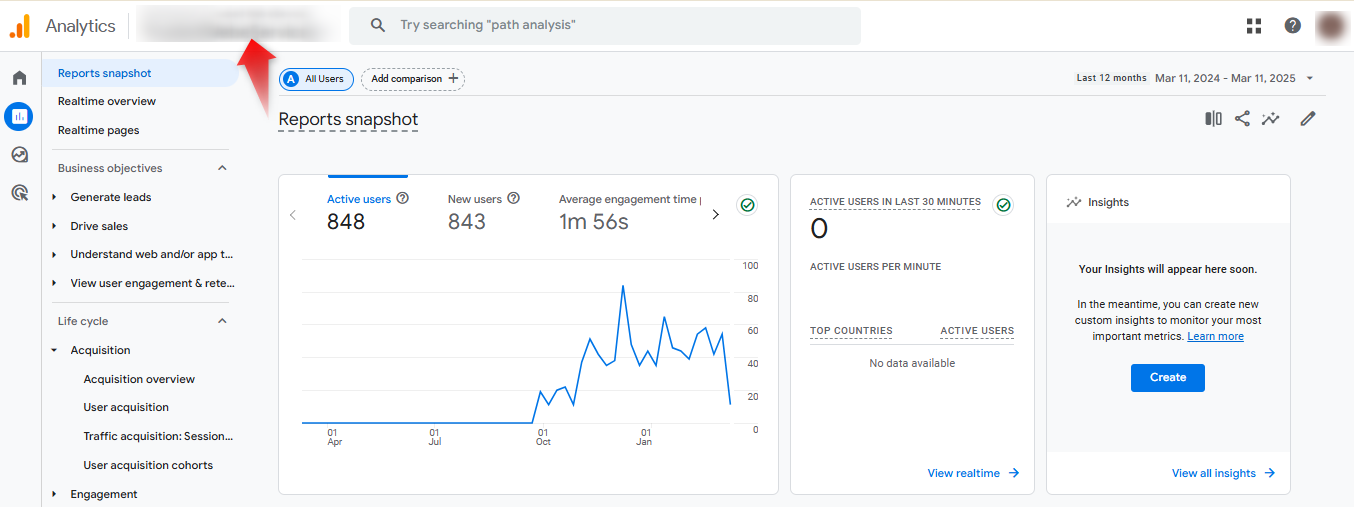
Step 2: Navigate to Traffic Acquisition Reports
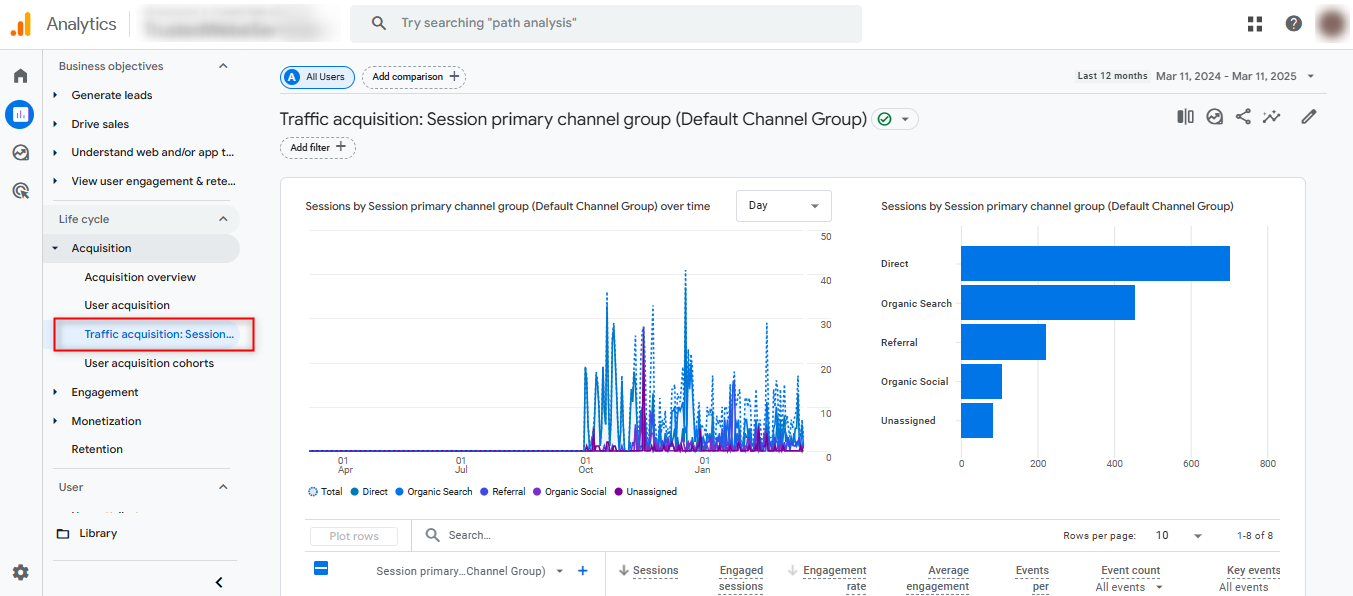
Once inside GA4, head over to the Reports > Acquisition > Traffic Acquisition. At this point, you’ll see an overview of different traffic sources that drive visitors to your site.
Step 3: Filter for Referral Traffic
Since we want to focus on referral traffic specifically, we need to apply a filter.
- Click on Add Filter (found in the upper-right section).
- A new window will open. Under the Dimension tab, type and select Session default channel group.
- Set the Match Type to Exactly Matches.
- In the Value field, choose Referral from the list of options.
- Click Apply to filter the data.

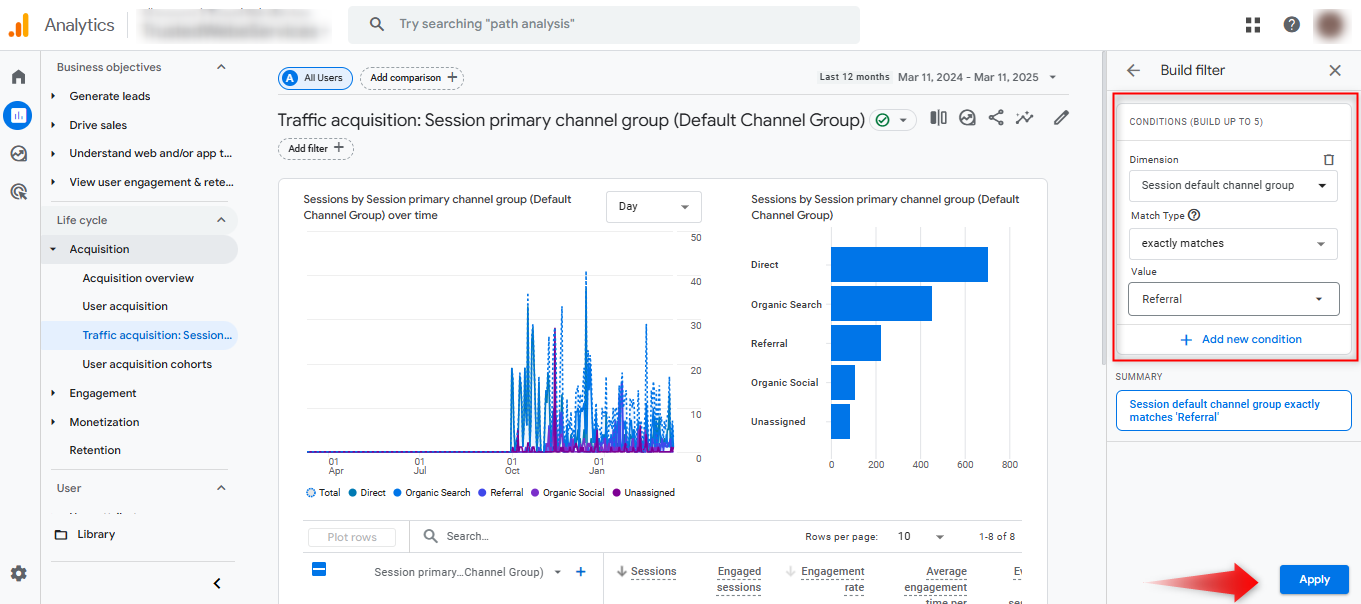
Now, your report will display only referral traffic, giving you a clearer view of visits coming from external websites.
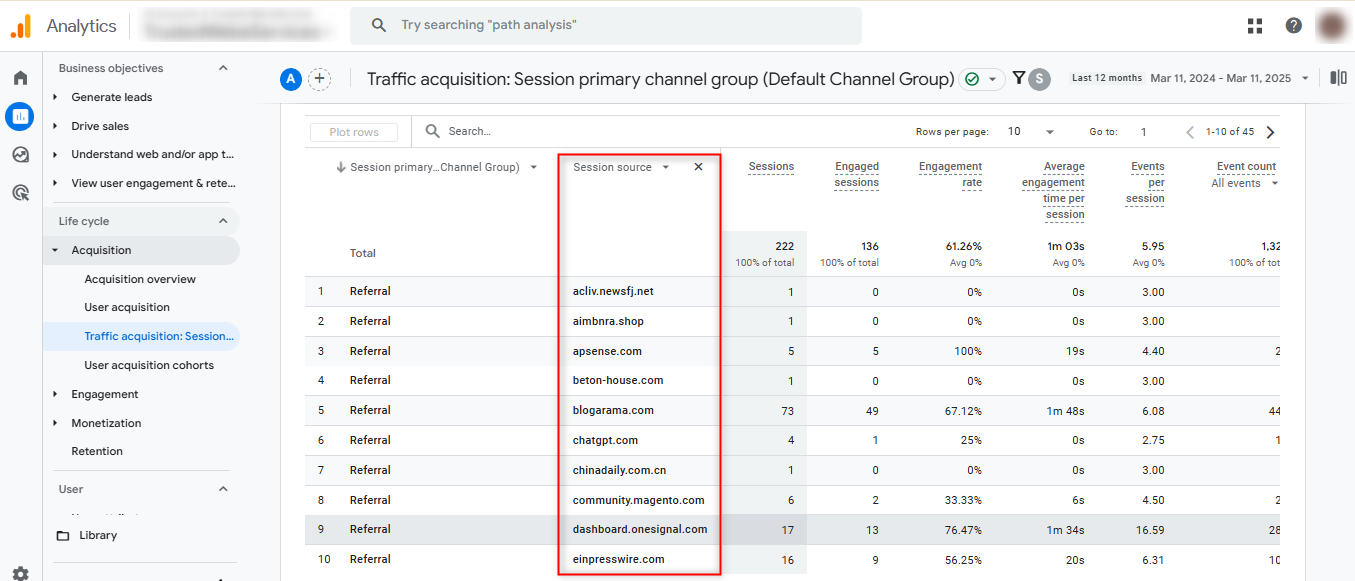
Step 4: Identify Referral Traffic Sources
To see which websites are referring traffic to your site, follow these steps:
- Click on the + (plus) icon to add a new metric.
- A pop-up menu will appear—navigate to the Traffic Source category.
- Select Session Source.
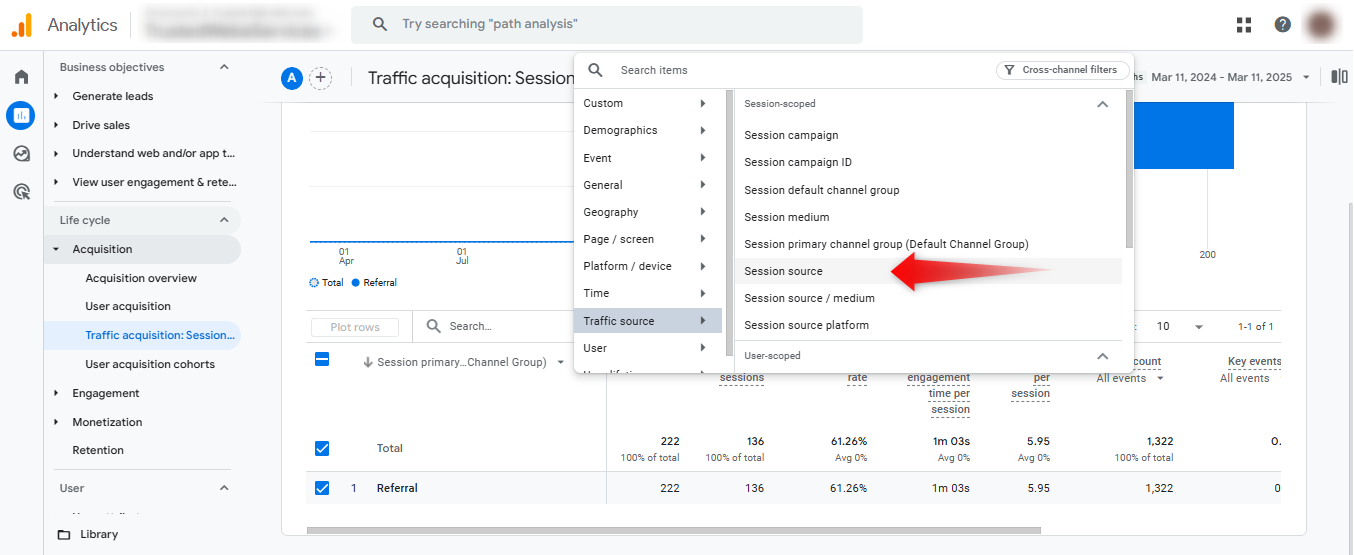
Now, the report will show the specific domains that are driving referral traffic to your website.
Final Thoughts
Finding referral traffic sources in GA4 is a simple yet powerful way to optimize your website’s marketing efforts. By following these steps, you can easily track which external sites are sending visitors your way, allowing you to refine your strategy and boost engagement.
Frequently Asked Questions
How can I differentiate between referral and direct traffic in GA4?
In the Traffic Acquisition report, GA4 categorizes traffic sources, making it easier to differentiate between direct and referral sources by examining the “Source/Medium” section.
What exactly counts as referral traffic in Google Analytics 4?
Referral traffic represents visitors who come to your website by clicking a link from another website, excluding traffic from search engines and direct visits. This includes links from blogs, news sites, partner websites, and other external sources that direct users to your site.
How can I exclude spam referrals in GA4?
You can create filters to exclude known spam domains and set up referral exclusions to keep your data clean.
What are referral exclusions in GA4?
Referral exclusions prevent certain domains from being categorized as referrals, which is essential for avoiding self-referral data issues.
What is the difference between source and medium in GA4?
Source identifies where the traffic originated (like “facebook.com”), while medium identifies how it got there (like “referral” or “organic”).

Ajay Mistry
 Verified Google Merchant Center Compliance Specialist

Ajay Mistry is a Google Merchant Center Compliance Specialist with deep expertise in resolving account suspensions, correcting misrepresentation issues, and building policy-compliant eCommerce advertising systems. He specializes in Google Merchant Center, Performance Max (PMax), GA4 tracking, and Google Tag Manager, helping businesses achieve stable approvals, accurate data, and scalable growth through strict adherence to Google guidelines.